Answerwithand

Every conversation.
Your CRM in view.

Bring Inbox, CRM and Tasks together. See the customer story before you reply, keep the deal in view and give every follow-up a clear owner.

14 days free · Card required

The customer picture

One queue.
The whole relationship.

  • Give each enquiry an owner. Triage incoming conversations, assign responsibility and follow them through to closure.
  • Reply with the relationship in view. Connect email, messenger conversations and calls to the relevant CRM record.
  • Keep the next step moving. Turn the follow-up into a task with an owner, so a useful reply becomes progress.
  • Channels in one place. Gmail, Outlook, Telegram, WhatsApp Business, Instagram, SMS and calls — each through its own connection.
Shared inbox · real screens

See the message.
Know the customer.

The screens behind one enquiry — the thread beside the relationship, and the queue where it finds an owner.

01
Shared inbox

See the person as well as the message.

Read the customer thread beside the CRM lead, current owner and linked next step.
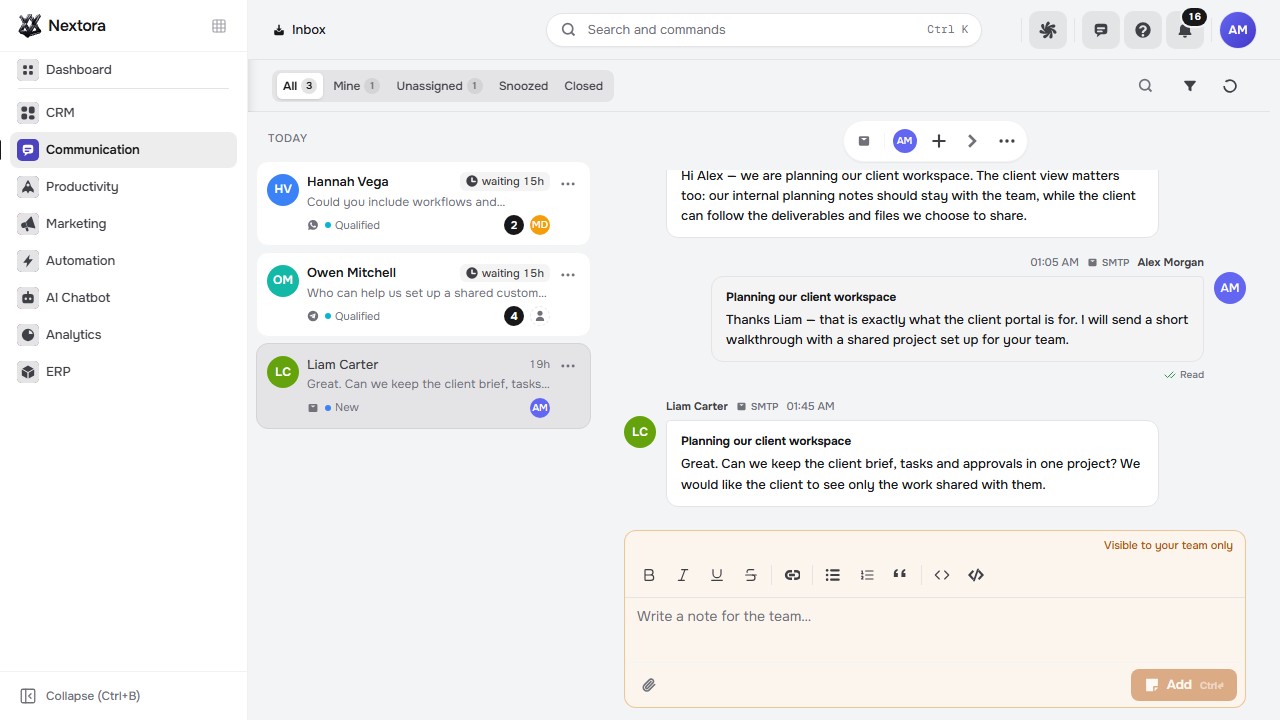
See the person as well as the message.
Actual customer inbox · imported synthetic history · no sending channels configured
02
Triage

See what is waiting. Decide who handles it.

Open the unassigned queue, read the enquiry and customer context, then choose who should take it forward.
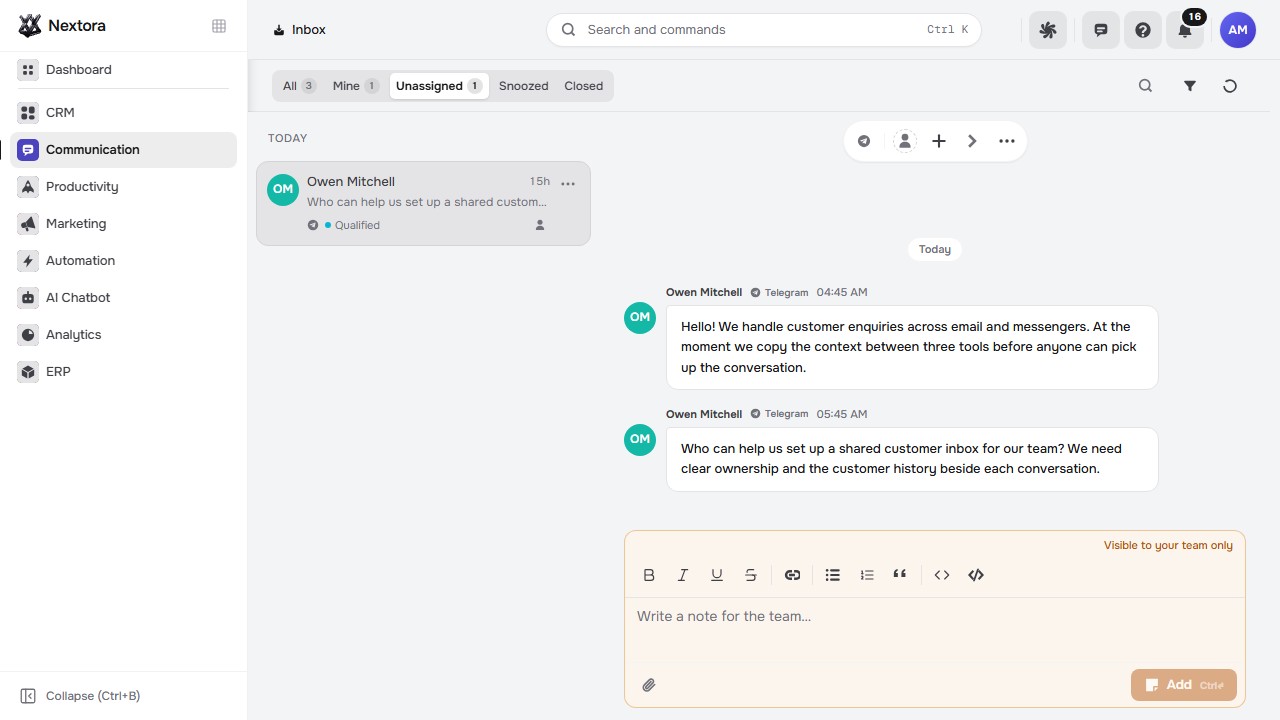
See what is waiting. Decide who handles it.
Actual unassigned inbox · imported synthetic history · no assignment or reply made
Beyond the inbox

The next reply starts
with the relationship.

Keep people, companies and deals beside the conversation. CRM gives every interaction its business context and the team a clearer next step.

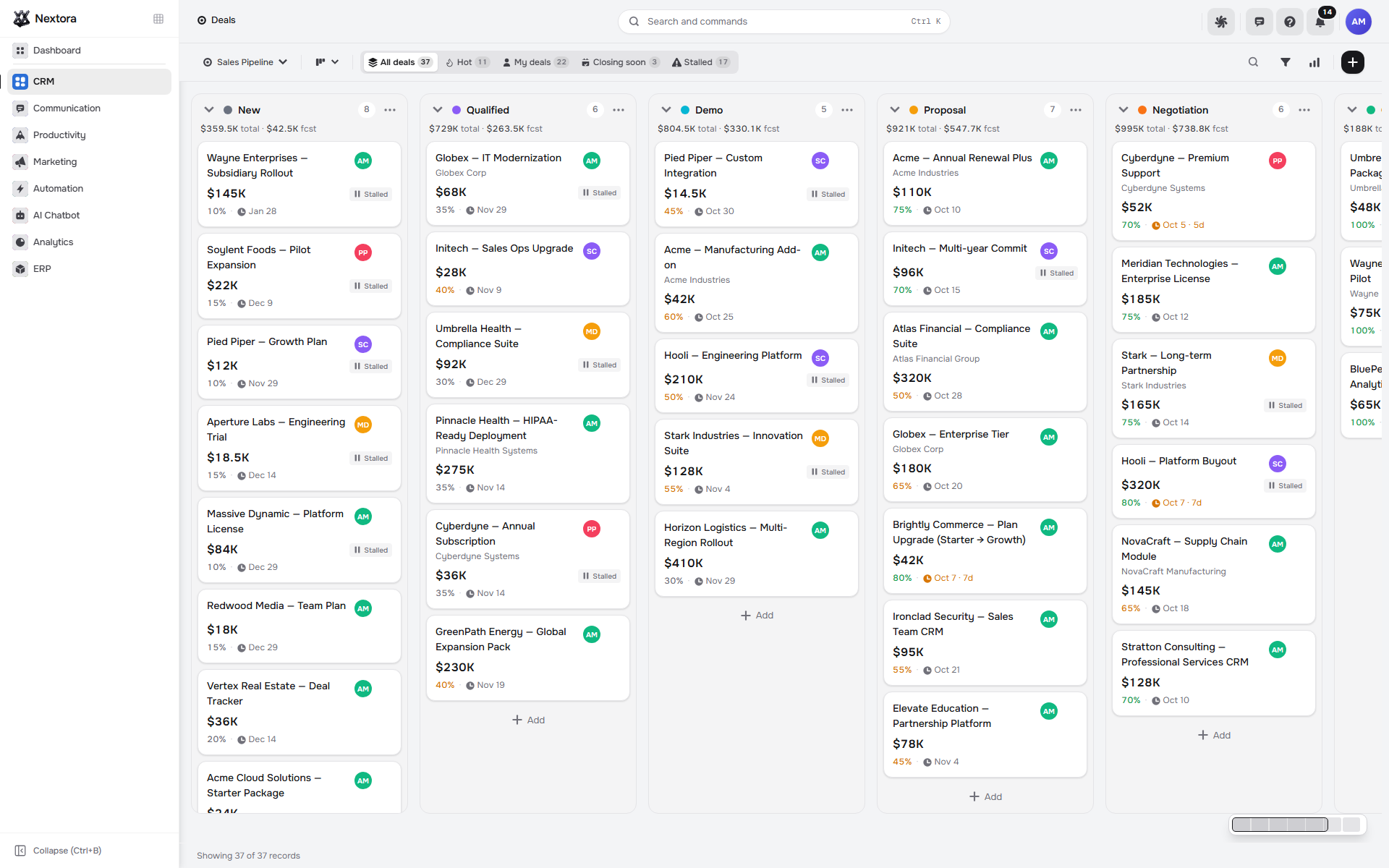
Deal pipeline behind the customer conversations
Actual deal pipeline · demonstration workspace

The context behind every thread.

An enquiry belongs to a person, a company and often a deal — CRM keeps that history beside the reply instead of in another tab.

Explore CRM →
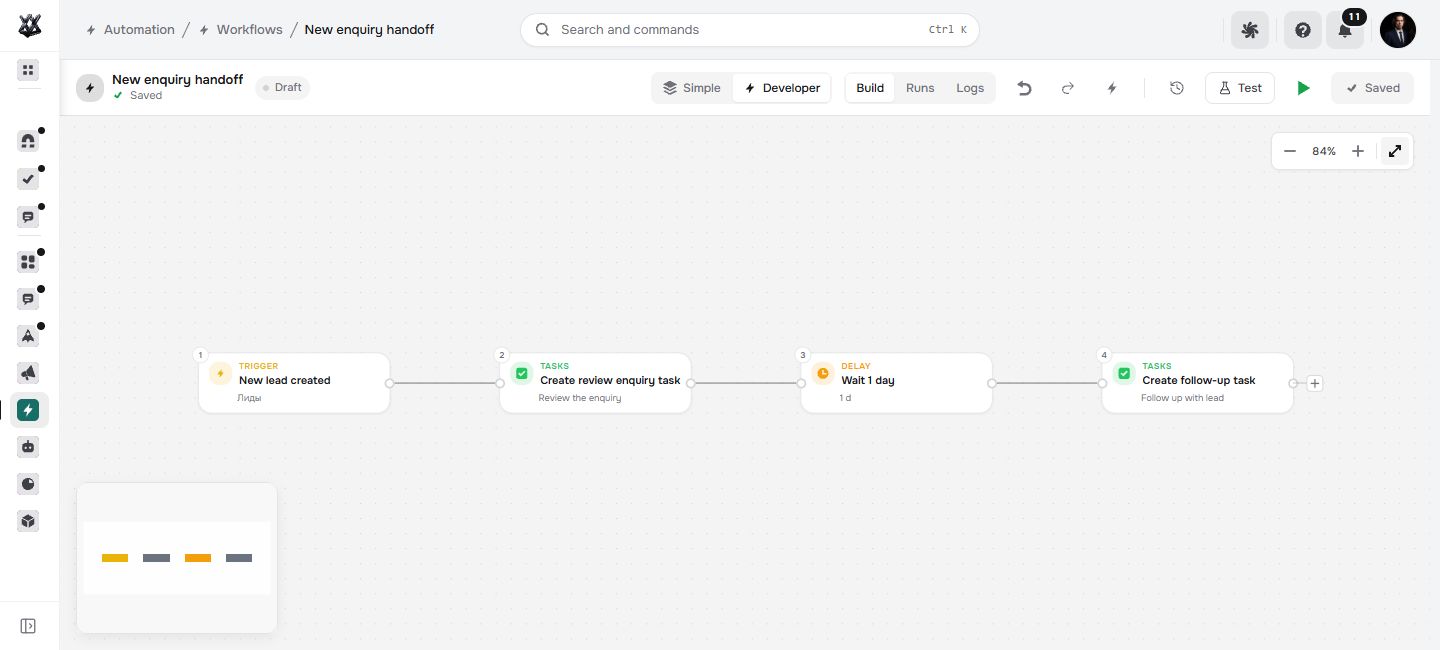
Workflow canvas triggered by an incoming message
Actual saved workflow from the accepted AI plan · inactive draft, not tested

The enquiry starts the workflow.

With Automation connected, a received message is a trigger like any other — create the lead, assign by rule, schedule the follow-up.

Explore Automation →
Connect the channelsGmail & Outlook, Telegram, WhatsApp Business, Instagram messages, SMS and browser calls with call notes — each channel through its own provider or account setup.
Extend with AI ChatbotA bot builder with knowledge sources, conversation flow and human handoff — plus a website widget, playground and run traces to review before publishing.
Good to know

A few things
to know.

For plans and billing see the pricing questions; everything else is in the main FAQ.

Is this the same as internal team chat?
No. Communication is for customer enquiries and replies. Teamwork provides internal channels, direct messages and discussions attached to business records.
Does this customer workflow include CRM?
Yes. The setup shown combines Inbox, CRM and Tasks: lead and deal context comes from CRM, and follow-ups use Tasks. Contacts and companies belong to the shared platform. This page presents that connected workflow, rather than promising every feature through Inbox alone.
Which channels can we connect?
Nextora includes connections for Gmail, Outlook, Telegram, WhatsApp Business, Instagram, SMS and telephony. Each channel needs its own provider or account setup; review the channels you need during onboarding. Customer bot channels include the website widget and Telegram.
Can we add customer-facing AI?
Connect AI Chatbot for its builder, knowledge sources and customer channels. Configure the flow and permitted actions, then use the playground, run traces and bot exam to review responses and human handoffs before publishing.
Start with the inbox

Make the next
reply count.

Start with Inbox, CRM and Tasks for the customer workflow shown here. Add AI Chatbot when you want a customer-facing bot and a handoff to your team.

14 days free · Card required