Skip to content

Nextora / CRM & sales

Your CRM.
One step ahead.

This setup brings together
  • CRM
View setup
Pipeline/deals
Nextora sales pipeline with deal cards grouped by stage
Pipeline Product screenshot
Nextora sales pipeline with deal cards grouped by stage
Actual Nextora interface · demonstration workspaceCRM
Shared customer directoryFlexible deal pipelinesClear ownership
Keep the relationship in view
Brand illustration Keep the relationship in view

Know where to pick up the conversation.

A call is coming up. The customer details, the owner and the latest deal stage should be easy to find. Give your team a shared place to see where the relationship stands.

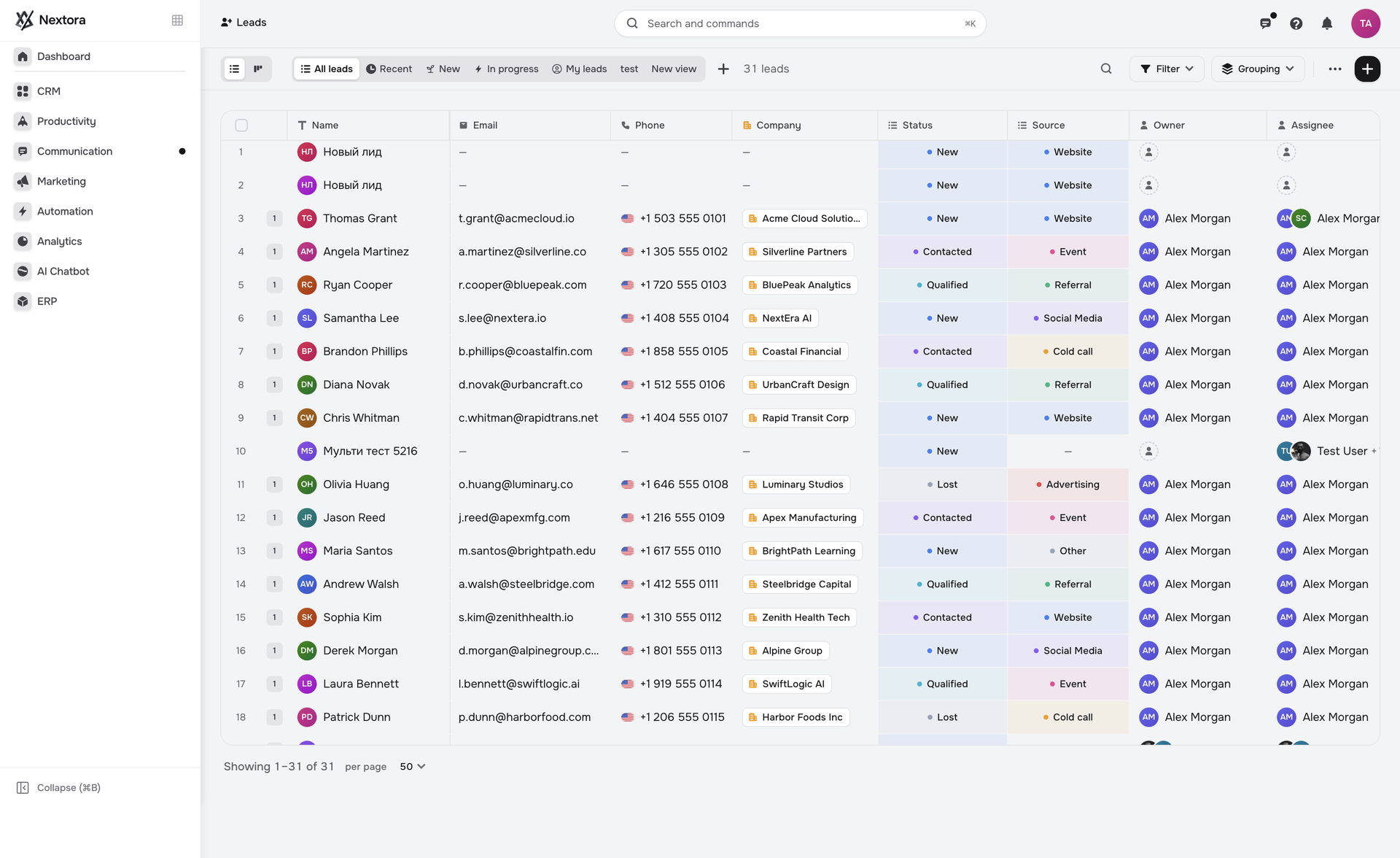
Know the lead

Give new interest someone to belong to.

A promising enquiry can sit untouched when the team cannot tell who owns it.

Keep lead details and ownership together in CRM, so the person picking up the relationship has a clear starting point.

  • Lead records with visible ownership
  • Customer details in the same working view
CRM/leads
Nextora CRM showing lead records, owners and customer details
CRM Product screenshot
Nextora CRM showing lead records, owners and customer details
Actual Nextora interface · demonstration workspaceCRM

The next conversation starts from a shared record.

Read the pipeline

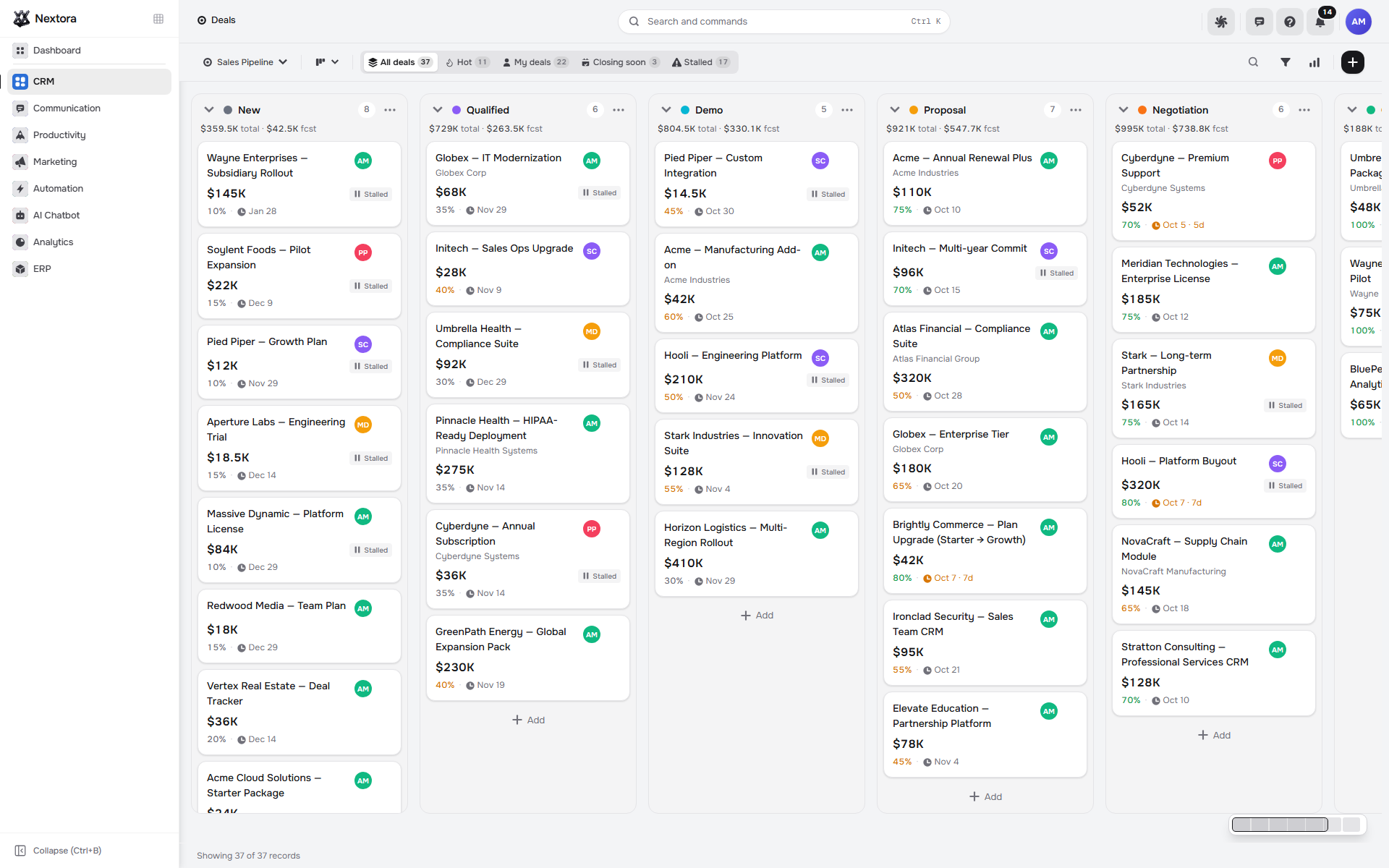
Make the pipeline useful in the next sales meeting.

A total alone does not explain which opportunities are moving or where a deal needs attention.

Review opportunities by stage, with the value and individual deal cards in view. Use that picture to decide what the team should follow up next.

  • Deal stages and values together
  • Individual opportunities behind the pipeline
Pipeline/deals
Nextora sales pipeline with deal cards grouped by stage
Pipeline Product screenshot
Nextora sales pipeline with deal cards grouped by stage
Actual Nextora interface · demonstration workspaceCRM

The discussion has specific deals to work on.

Capture the context

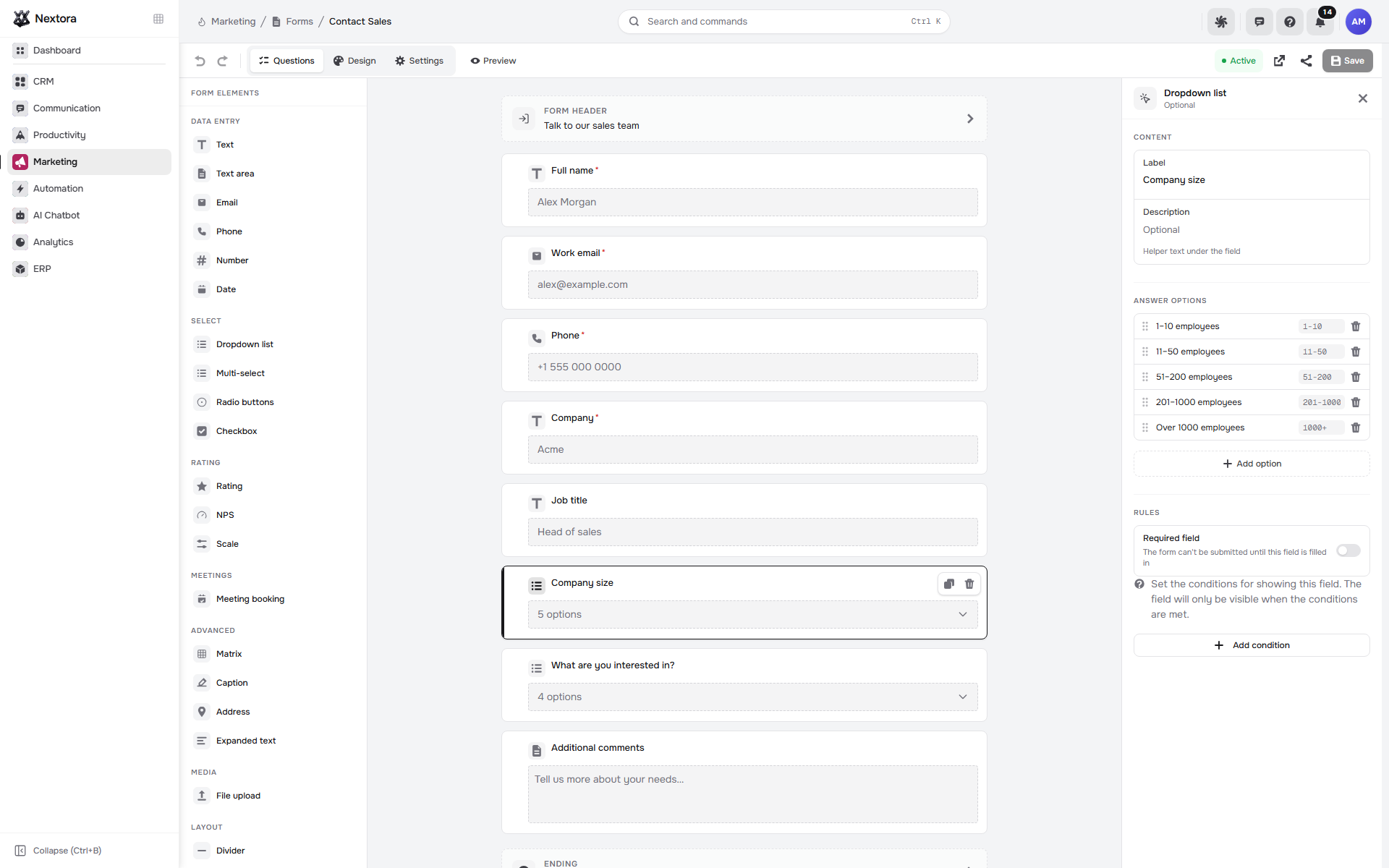
Ask the useful questions at the first hello.

Sales loses context when every enquiry begins with only a name and an email address.

With Forms & Documents connected, shape the fields around your qualification questions and configure lead creation in CRM.

  • Form fields shaped around qualification
  • CRM lead creation when configured
Forms/forms
Nextora form builder with contact fields and team-size options
Forms Product screenshot
Nextora form builder with contact fields and team-size options
Actual Nextora interface · demonstration workspaceConnected example · CRM + Forms & Documents

New interest can arrive with the details needed for a relevant follow-up.

Make the next appointment

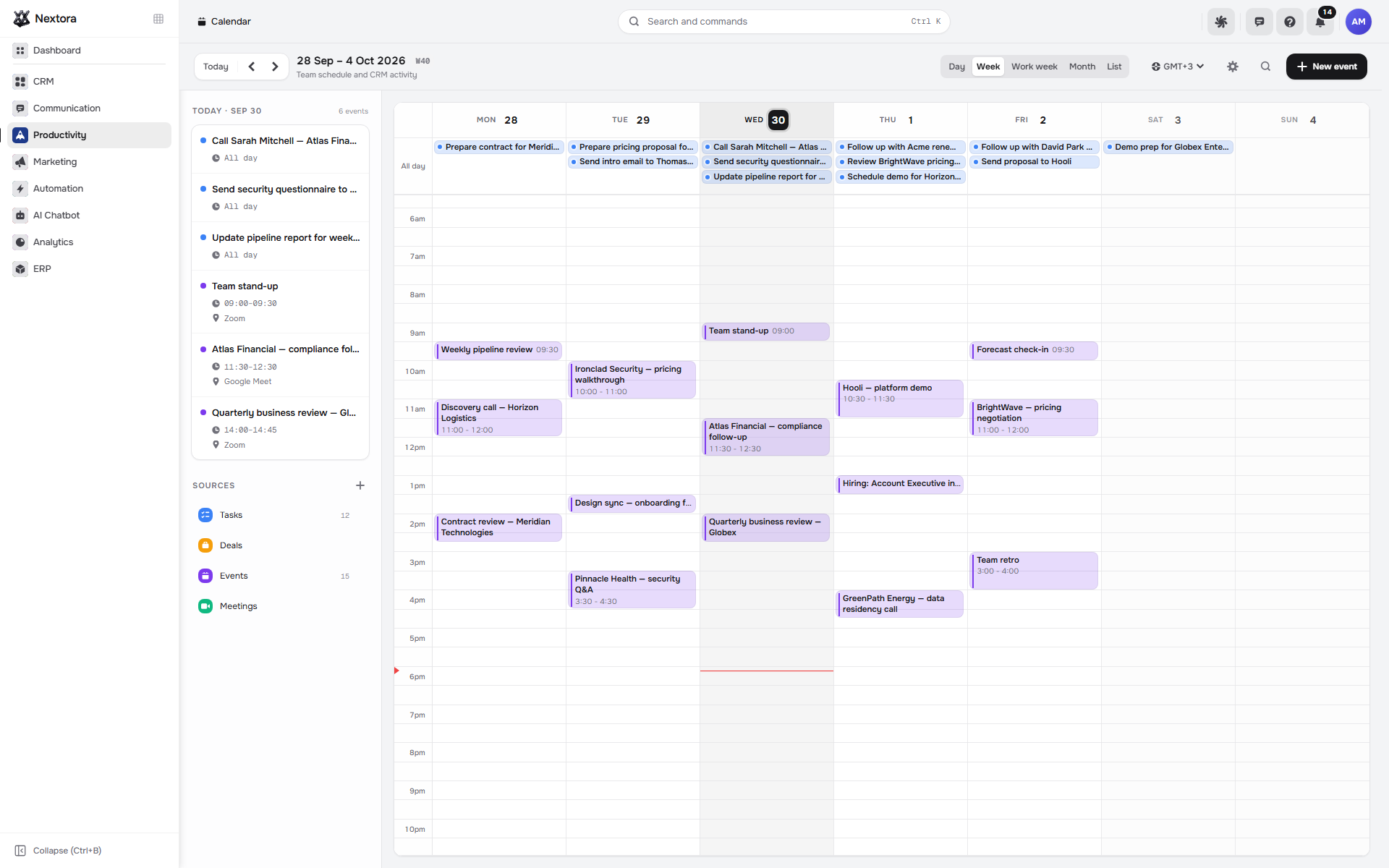
Make room for the next conversation.

An opportunity needs time with the customer as well as a place in the pipeline.

Connect Calendar to plan calls and meetings in the same workspace. The connected view also brings in deal dates from CRM and task dates from Tasks.

  • A shared view of calls and meetings
  • Work dates from connected CRM and Tasks
Calendar/calendar
Nextora calendar with a week of customer calls and team meetings
Calendar Product screenshot
Nextora calendar with a week of customer calls and team meetings
Actual Nextora interface · demonstration workspaceConnected example · Calendar + Tasks + CRM

The team can plan the week around its commitments.

The tools behind the work

Built around the relationship.

Explore every feature ↗

Shared customer foundation

  • Contacts & companies · shared platform
  • Record activity
  • Custom fields
  • CSV import & export

Your CRM tools

  • Leads & deals
  • Flexible pipelines
  • Kanban & table views
  • Owners & stages
  • Dynamic & static lists
  • Custom tables

Connect to your CRM

  • Lead capture · Forms & Documents
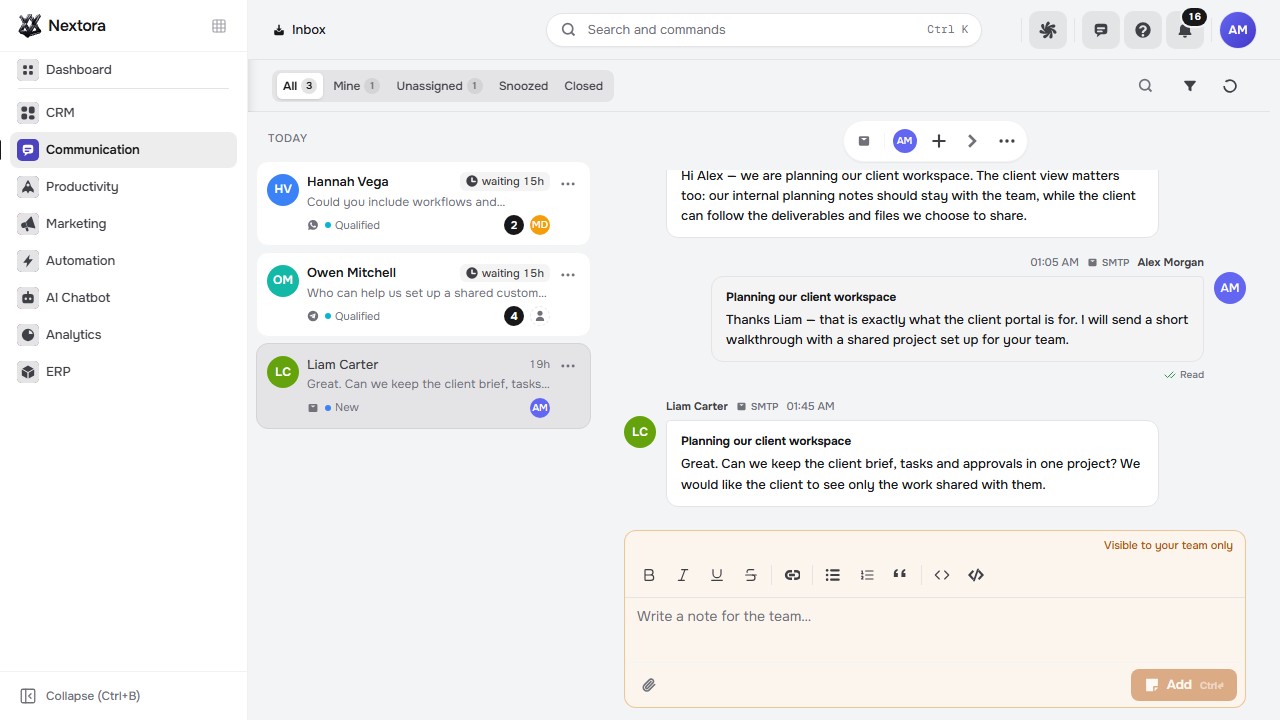
  • Shared inbox · Inbox
  • Meetings · Calendar
  • Follow-up tasks · Tasks
  • Delivery & client hubs · Projects
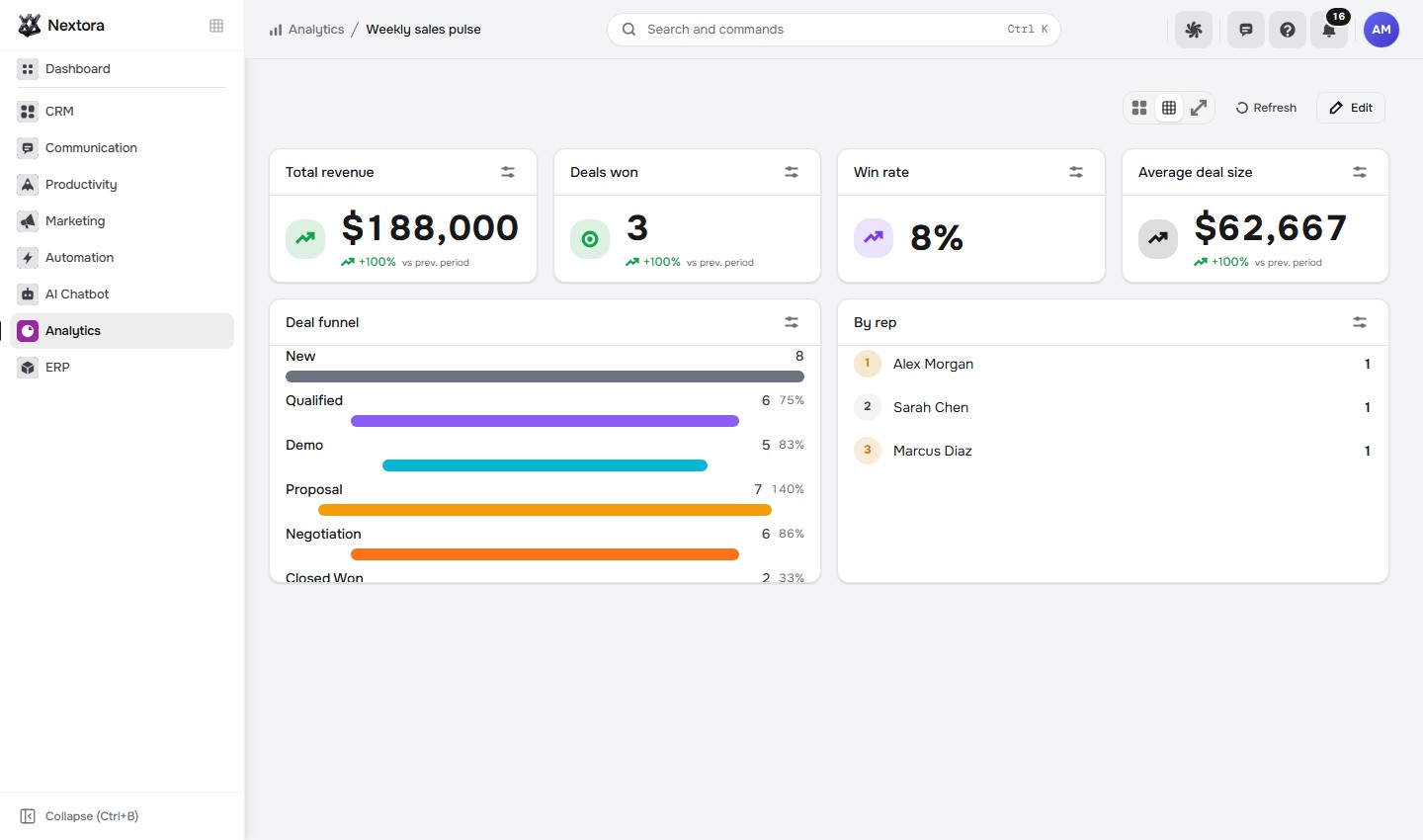
  • Reports · Analytics
  • Workflow builder · Automation
  • AI enrichment · AI setup

Start with sales.
Connect the next step.

Your leads and pipeline live in CRM. Add capture, meetings or shared follow-ups as your process grows.

CRMYour starting point
Your Nextora setup

Start with sales. Keep the whole relationship.

Start with CRM and the shared Nextora platform. Add customer communication, delivery and automation around the way your team sells.

A shared foundation

Contacts, companies and workspace access are part of every setup. CRM adds the sales layer.

The setup shown here.

Start with sales. Connect other tools when the process calls for them.

  • CRM

    Leads, deals, pipelines and customer history.

Connect more when you need it
  • Conversations · Forms & Documents

    Connect customer replies and lead capture to sales.

  • Projects · Tasks

    Carry won deals into delivery and follow-up work.

  • Automation · Analytics · AI Assistant

    Add workflow automation, reporting or AI assistance to CRM.

  • Calendar

    Bring meetings and booking pages into the sales process.

Additional modules and access are agreed separately.

Discuss this setup

Private alpha · We’ll confirm the modules, connections and pricing for your workflow.

A few things to know.

Can we bring our existing records?

CSV import supports column mapping and duplicate handling. Start by reviewing a sample of your data with the team.

Can we shape the pipeline around our process?

Configure stages, card fields and multiple pipelines. Use custom tables for records specific to your business.

What comes with this CRM setup?

CRM adds leads, deals, pipelines, lists and custom records to the shared contacts and companies directory. Forms, inbox, calendar, projects, analytics and AI are connected capabilities from their respective modules.

How do we get started?

Nextora is in private alpha. Tell us about your sales process and the team you want to bring into the workspace.